- Dialed
- Memory Games
- Color Game
- Design Games
Dialed.gg Games Guide & Free Online Games (Color, Sound, Memory)
Play and master Dialed.gg games online for free. Interactive guides for Color Memory, Sound Memory, Time, and Shape games. Test your skills now!

Sherotree
·11 min read
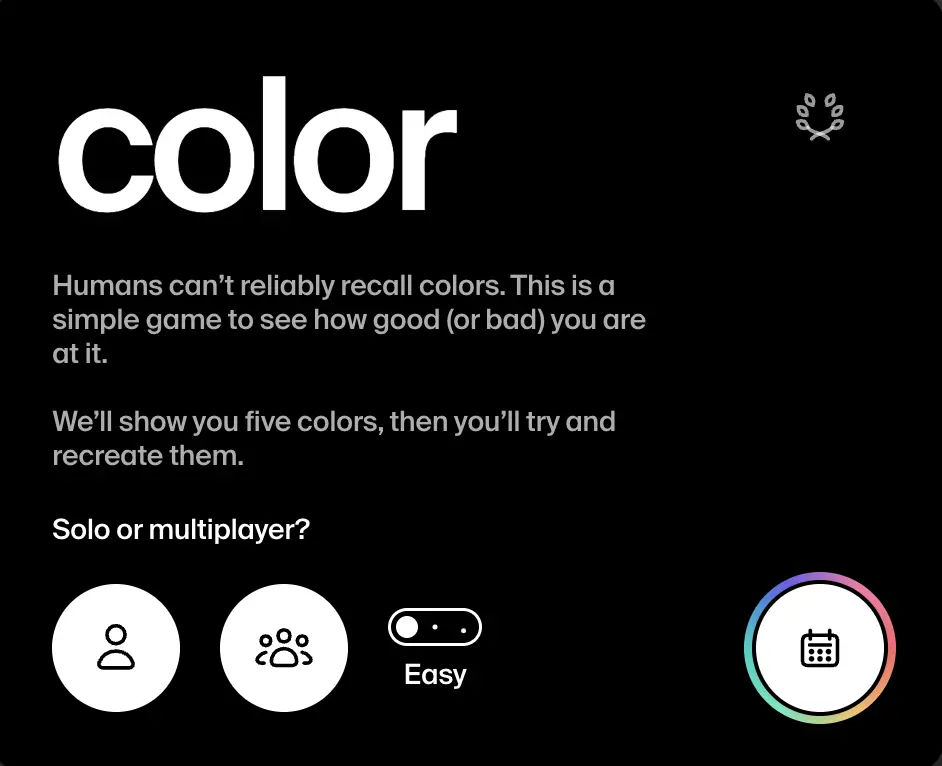
Dialed.gg is a set of free browser memory games built around one idea: humans are worse at recall than we think. Each mode shows five stimuli, hides them, then asks you to recreate them from memory. Score out of 50 reflects how close your answers are to the originals.
The suite includes four games:
- Color — memorize swatches, match with HSB controls (on-site Color Recall; Dialed daily on dialed.gg)
- Sound — hear tones, match frequency in Hz
- Time — feel durations, recreate elapsed time
- Shape — study forms, rebuild scale, rotation, and position
This guide explains how each Dialed game works, shares practical tips to improve your score, and covers daily challenges and multiplayer modes. For the on-site color memory game, see Color Recall. For how Dialed compares with other color trainers, see Best Color Games for Designers in 2026.
What all four Dialed games share
Before mode-specific advice, the loop is identical:
- Reveal phase — five items appear (or play) in sequence
- Memorization window — you study while stimuli are available
- Recall phase — stimuli disappear; you rebuild each slot
- Scoring — each slot contributes to a total out of 50; lower error means a higher score
Across Dialed, you can play solo, share a multiplayer link (same stimuli for everyone), or join daily mode (one global set per day, shared leaderboard). Time and Shape also support live rounds where friends play simultaneously on a shared timer.
Difficulty labels vary by game: Color and Sound use Easy and Hard (Color adds Brutal on leaderboards); Time uses Easy and Hard; Shape adds Brutal for tighter tolerance.
Quick comparison: which Dialed game trains what?
| Game | URL | You memorize | You recreate | Daily | Live multiplayer |
|---|---|---|---|---|---|
| Color | Color Recall / dialed.gg | Five swatches | Hue, saturation, brightness | Yes (Dialed) | Link-based (Dialed) |
| Sound | dialed.gg/sound | Five tones | Frequency (Hz) | Yes | Link-based |
| Time | dialed.gg/time | Five durations | Elapsed intervals | Yes | Link + live host |
| Shape | dialed.gg/shape | Five shapes | Scale, rotation, position | Yes | Link + live host |
Color memory game tips
The Dialed color game is the entry point most players find first. It is both a color memory game and a color match game: you recall hues after they vanish, then dial them in with an HSB-style picker. On Uwarp, practice the same loop with Color Recall; for official color daily and multiplayer, open dialed.gg.
How color mode works
- Five colors appear during the reveal phase
- After the timer ends, each slot shows empty controls
- You adjust hue (H), saturation (S), and brightness (B) per slot
- The results screen compares your selection with the original swatch side by side
Tips for higher color scores
- Chunk by family, not by slot order. Group warm vs cool and muted vs vivid during reveal. Memory for categories survives longer than memory for “slot three was teal.”
- Lock hue first. Saturation and brightness change how a color reads, but wrong hue is the hardest error to recover from. Set approximate hue on all five slots before fine-tuning.
- Use relative contrast between slots. If one swatch was clearly the darkest, mark that relationship before details. Relative ordering survives when absolute values fade.
- Saturation before brightness on vivid colors. Highly saturated colors look different when you only shift lightness. Nudge saturation, then brightness, then hue for final passes.
- Do not chase hex during play. Dialed scores perceptual match, not
#RRGGBBtyping. Think in HSB—the same model many design pickers expose. - Color daily strategy. Everyone gets the same five colors once per day. Play your first attempt after a short warm-up round in Easy solo mode. Bonus attempts exist on the publisher site; treat attempt one as your recorded score.
- Multiplayer links. Create a link on dialed.gg so friends see identical swatches. Agree on difficulty beforehand—Hard memorization windows punish hesitation.
Practice the memory loop on Uwarp: Color Recall
Sound memory game tips
The sound memory game tests pitch recall. Five tones play during reveal; you recreate each frequency in Hz from memory.
Game tones are synthetic and short. When you want the same note-and-Hz readout on a real take—a voice memo, an instrument recording, or an exported MP3 or WAV—upload it to the Audio File Pitch Detector, which plots a full pitch contour instead of five isolated points.
Setup matters
- Use headphones. Laptop speakers smear bass and make adjacent frequencies harder to separate.
- Play in a quiet room. Environmental noise competes with short tones the same way glare competes with color swatches.
How sound mode works
- Five tones play in sequence during reveal
- You enter or adjust target Hz per slot in the recall phase
- Scoring measures distance from the original frequency
Tips for higher sound scores
- Anchor to reference pitches. If you know A440, middle C, or a familiar notification tone, estimate offsets (“about a fourth higher than reference”) instead of absolute Hz.
- Sing or hum internally during reveal. Subvocalizing pitch gives your brain a motor trace that outlasts passive listening.
- Watch the relationship between consecutive tones. Rising vs falling motion between slots 2 and 3 is easier to hold than five isolated numbers.
- Log your error direction. After a round, note whether you trend sharp or flat. Systematic bias is fixable; random scatter is not.
- Start Easy until you recognize your octave errors. Guessing 880 Hz when the tone was 440 Hz is common. Easy mode builds octave awareness before Hard tightens tolerance.
- Sound daily discipline. Same five tones worldwide—one primary attempt on the leaderboard. Listen once without touching controls to form a mental map, then replay in recall.
- Multiplayer fairness. Everyone must use headphones at similar volume. A quiet room rule keeps link-based matches honest.
- Calibrate your internal anchor. Hum the pitch you are holding and read it back with the Frequency Detector, which shows live Hz from your microphone. Seeing how many Hz sharp or flat you habitually hum turns a vague “felt about right” into a number you can correct next round.
Time memory game tips
The time memory game asks you to internalize durations—how long five intervals felt—then reproduce them without a visible clock during recall.
How time mode works
- Five durations play or display during reveal (pulses you experience sequentially)
- You recreate each interval from memory
- Scoring reflects how close your reproduced times are to the targets
- Supports daily, async multiplayer links, and live hosted rounds with shared timers
Tips for higher time scores
- Count with a personal cadence. Many players use a silent “one-Mississippi” beat during reveal, then replay that cadence in recall. Consistency beats speed.
- Feel ratios, not absolutes. If duration B felt twice as long as A, preserve that ratio even when absolute seconds blur.
- Tap discreetly during reveal. A light finger tap on your desk creates a kinesthetic trace—useful when visual memory fades.
- Avoid watching wall clocks between rounds. External time references reset your internal baseline.
- Live round etiquette. In hosted live games on dialed.gg/time, everyone shares the same schedule. Confirm round count and difficulty before the host starts so no one joins mid-config.
- Time daily warmup. Daily sets five global durations. Do one untimed mental review (“short, long, medium…”) before locking values.
- Hard mode patience. Hard shrinks acceptable error. Prioritize consistent counting over guessing impressive precision on slot one and drifting on slot five.
Shape memory game tips
The shape memory game shows five figures, then asks you to rebuild scale, rotation, and position—the closest Dialed mode to spatial UI work.
How shape mode works
- Five shapes appear during reveal
- Recall phase lets you manipulate each shape’s size, angle, and placement
- Scoring compares your reconstruction to the original geometry
- Brutal difficulty tightens tolerance beyond Hard
Tips for higher shape scores
- Capture a thumbnail snapshot. Blink once to freeze a mental screenshot of the whole set before adjusting any single shape.
- Anchor to the canvas, not the screen edge. Note position relative to center and to neighboring shapes. Absolute pixel memory fails; relational memory survives.
- Solve rotation before scale. A wrong angle makes scale look wrong even when size is close. Align orientation first on each slot.
- Use negative space. The gap between shape two and shape four is often easier to remember than the shapes themselves.
- Brutal mode: micro-adjust last. Get placement in the right neighborhood, then rotate, then scale, then one pass of fine tweaks. Brutal punishes early perfectionism on slot one.
- Shape daily workflow. Global five-shape set each day—same as color and sound daily. Sketch a five-box storyboard on paper during reveal if you are stuck (“large circle top-left, small square bottom-right”).
- Live multiplayer. Shape supports live hosted rounds like Time. Share links only after difficulty (Easy / Hard / Brutal) and round count are locked.
Daily mode across all Dialed games
Color daily, sound daily, time daily, and shape daily share rules:
- One global stimulus set per calendar day
- One primary leaderboard attempt (bonus plays may be available on the publisher site)
- Same content for every player on Earth—ideal for friendly competition
Daily tips that apply everywhere:
- Warm up in solo Easy before your scored daily run
- Do not refresh mid-round hoping for easier stimuli—it breaks fairness and wastes attempts
- Post initials only when you are happy with the score; leaderboards are public on Dialed
- Share results with the built-in link if you want rematches—drives traffic back to the correct mode URL
Multiplayer and live modes
| Mode | Color / Sound | Time / Shape |
|---|---|---|
| Async link | Create link, friends play anytime | Same |
| Live host | — | Host sets rounds and difficulty, shared timer |
| Same stimuli | Yes | Yes |
For async links, copy the game URL immediately after creation. For live host, wait until all players confirm ready—Time and Shape show loading states while the room forms.
FAQ
What is Dialed.gg?
Dialed.gg is a free game studio publishing memory challenges for color, sound, time, and shape. Each game uses a five-item reveal-and-recall loop with scoring out of 50.
Do I need an account to play?
No account is required for basic play on Dialed. Leaderboards and multiplayer links are handled on the publisher site and its subpaths—start with Color Recall for on-site memory practice, or dialed.gg for official color daily.
Which Dialed game is hardest?
Shape Brutal and Color Hard/Brutal leaderboards demand tight spatial and perceptual tolerance. Sound Hard punishes Hz error. Time Hard compresses acceptable duration drift. Start Easy on any mode before judging difficulty.
Can I play Dialed games on Uwarp?
Uwarp hosts Color Recall for color memory practice. Sound, time, and shape currently play on their publisher URLs: dialed.gg/sound, dialed.gg/time, and dialed.gg/shape. Official Dialed color daily remains on dialed.gg.
How is Dialed color different from other color games?
Dialed adds memory pressure and daily global sets. Method of Action Color focuses on harmonies. Hex Test trains hex typing. Use Dialed for color daily; use the others for theory and code fluency.
Why are my scores low on the first try?
Memory games expose calibration error, not lack of talent. Scores climb once you adopt chunking (color), reference pitches (sound), steady counting (time), and relational placement (shape).
Where to play
| Game | Play |
|---|---|
| Color | Color Recall or dialed.gg |
| Sound | dialed.gg/sound |
| Time | dialed.gg/time |
| Shape | dialed.gg/shape |
Browse more design games on Uwarp: Design Games. Pair color practice with utilities at Color.
Dialed turns recall into a measurable score. Pick one mode, apply the tips above for a week, and rotate games—color for perception, sound for pitch, time for rhythm, shape for layout—without leaving the same five-item loop that makes the brand easy to remember.
Enjoyed this story? Share it or follow on Google.