- AI Video
- Video Generation
- Aerial Video
- Helicopter Tours
Create Cinematic Helicopter Tours of Iconic Landscapes Using AI
Learn how to generate cinematic helicopter-style aerial tours over glaciers, fjords, and canyons using AI video generators and descriptive prompts.
Guest Contributor
·7 min read
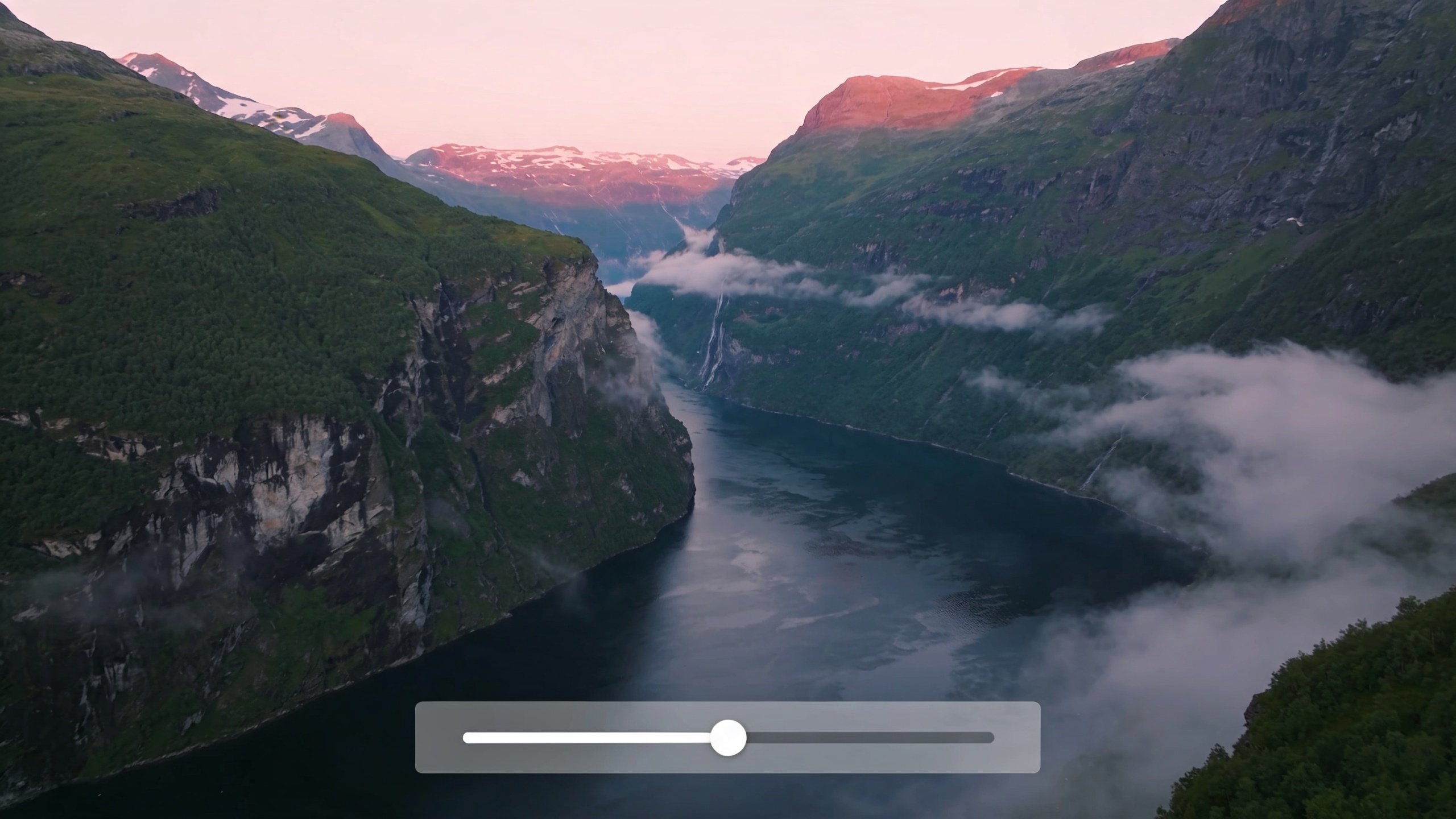
Few camera moves feel as grand as a helicopter swooping low over a glacier, skimming a canyon rim, and climbing to reveal an endless horizon. That sweeping perspective turns landscapes into epics, yet real aerial filming demands permits, pilots, specialized gimbals, and a healthy budget.
An AI video generator like Dreamina lets you explore this look from your desk, turning a single landscape reference and a descriptive prompt into a flowing aerial tour. This guide explains how to design a flight path, describe altitude and light, and use Seedance 2.5 to produce a cinematic helicopter-style film.
The amazing appeal of helicopter views
Aerial views transform the perception of the world since it reveals connections impossible to see from the ground. It demonstrates the way the river creates a valley, the ridge goes into the ocean, or the city is surrounded by mountains. Helicopters make the view the same and dynamic: one can fly quite low to experience the speed of the land and then go up high to see the entire picture.
This combination of thrill and splendor is perfect for using in every kind of tourism content.
Selecting the proper landscape for the aerial view
Some locations are not appropriate for aerial trips. It is necessary to visit places with well-defined shapes, dimensions of the landscape, and some contrasts. Here are some tips:
- Glaciers and ice fields where one can see blue splits in the ice, white peaks, and long shadows.
- Fjords and sea cliffs with vertical cliffs rising from the deepest ocean.
- Desert canyons with rifts made of layers of red rocks and warm lights.
- Volcanoes with black beaches and green slopes.
- Wonderful Alpine peaks.
- Rainforest valleys with tropical forests and rivers shining through.
Using generic landscape types rather than copying a specific famous photograph helps keep your film original and avoids confusion about real places.
Designing the flight path as a story
A good aerial tour has a rhythm. Start low and fast to build excitement, rise slowly to reveal scale, and end with a graceful glide toward a final view. Think of the flight in three parts: approach, reveal, and farewell. For example, begin by skimming above a lake, climb along a cliff face to expose the peaks behind it, then bank gently toward a sunset horizon. Describe the path in plain language, such as "flying forward, rising over the ridge, then turning left across the valley."
Altitude, speed, and camera language
Specific terms help the model produce believable aerial footage:
- Low and fast: "skimming just above the treetops at high speed."
- High and slow: "gliding at height with a vast panoramic view."
- Orbit: "circling a central peak in a smooth, wide arc."
- Push-in: "moving forward toward a distant waterfall."
- Reveal: "rising over a ridge to uncover a hidden valley."
- Bank turn: "a gentle roll to the right as the horizon tilts."
Choose one dominant motion per clip. Mixing too many can produce a confusing path.
Light, weather, and atmosphere
Landscape drama depends on light. Sunrise paints peaks in pink and gold, midday gives crisp color and clear distance, and golden hour casts long shadows that sculpt every ridge. Weather adds mood: low clouds drifting through a valley, a storm front gathering far away, or snow squalls whitening a peak. Name the time of day and the weather in each prompt, and keep them consistent across clips so a multi-shot tour feels like a single flight.
What Seedance 2.5 offers for aerial storytelling
Seedance 2.5 includes several features that suit landscape tours:
- 30-second clips: long enough for a continuous glide through a scene.
- Ultra-long mode: total runtime up to 180 seconds for a complete tour.
- No degradation on extension: longer sequences hold together without visible drift.
- Reference-driven precision: your landscape image shapes the look of the output.
- Natural quality: reduced artificial look in textures like rock, water, and snow.
- Clean output: fewer stray subtitles and no unwanted background music.
These capabilities help your tour feel like one smooth, cohesive flight.
Step-by-step: create your helicopter tour in Dreamina
Step 1: Write a text prompt
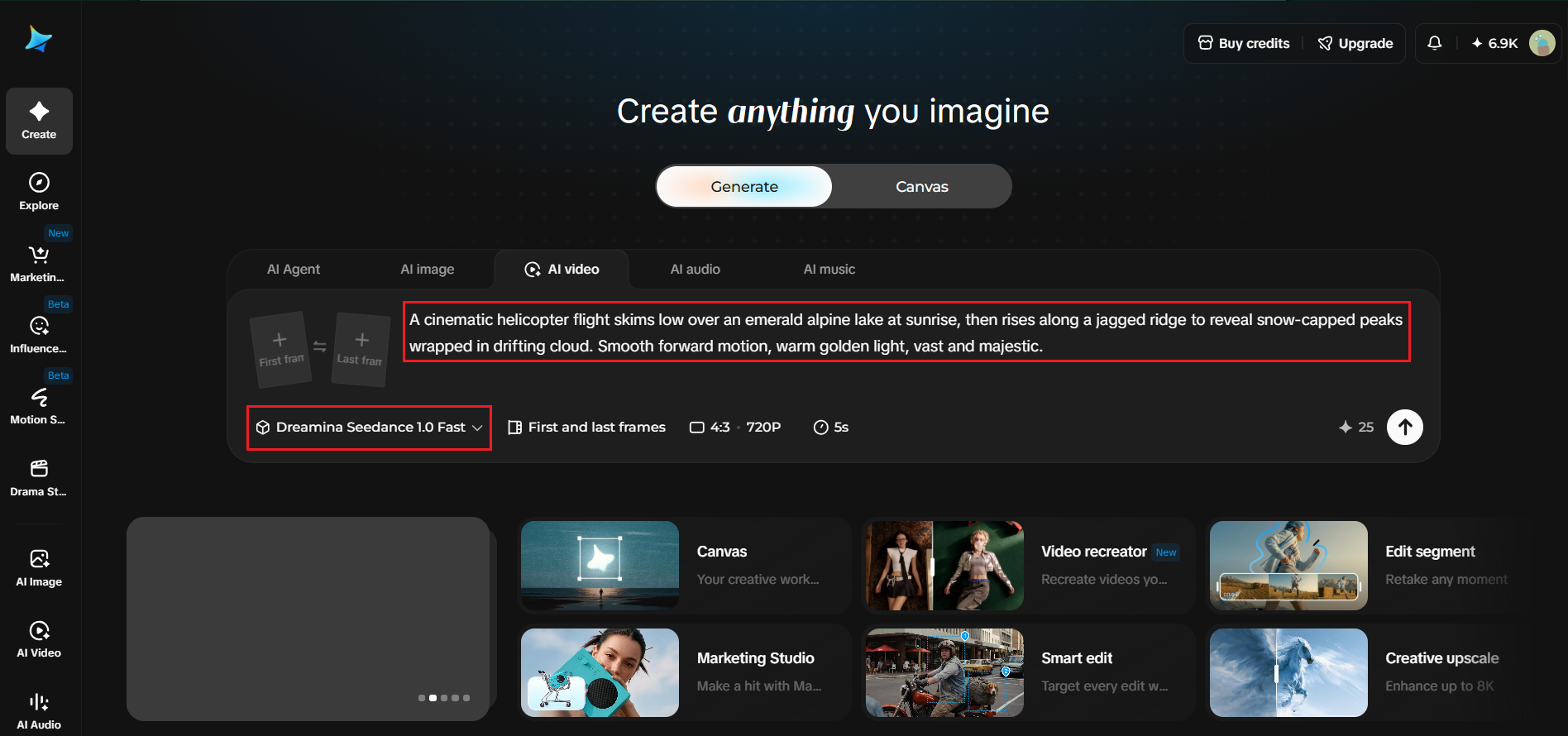
Visit Dreamina and sign in, then head to the "AI Video" section. Then add your prompt to describe the video.
For example: A cinematic helicopter flight skims low over an emerald alpine lake at sunrise, then rises along a jagged ridge to reveal snow-capped peaks wrapped in drifting cloud. Smooth forward motion, warm golden light, vast and majestic.
Step 2: Produce your video
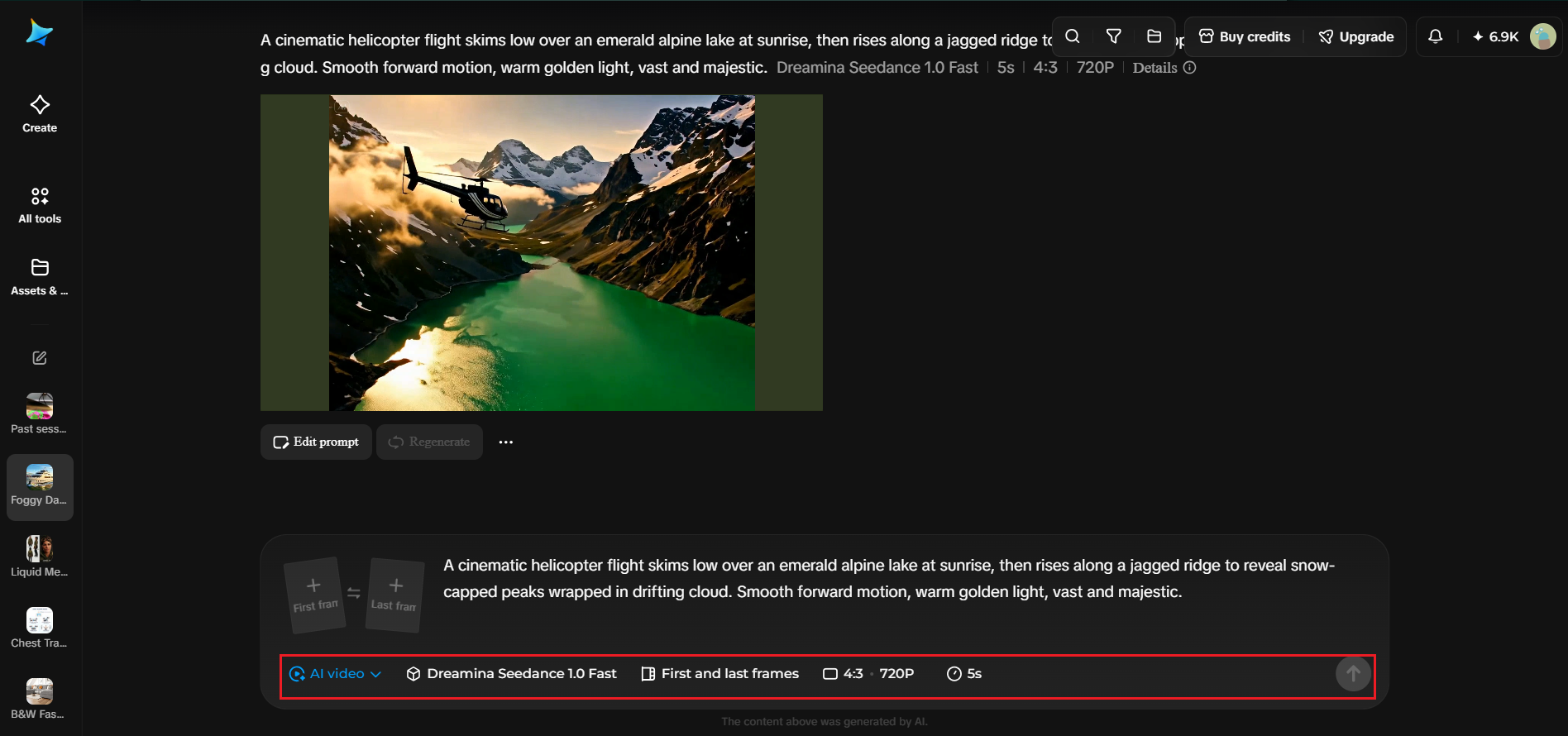
Once you've inserted your image and instructions, select the Seedance 2.5 model for the video production. Proceed to decide on the length of your video, and then the appropriate aspect ratio: you can pick either 16:9 for YouTube or 9:16 for TikTok. Make sure to click the logo of Dreamina and allow a few seconds to pass for processing.
Step 3: Improve and save the video
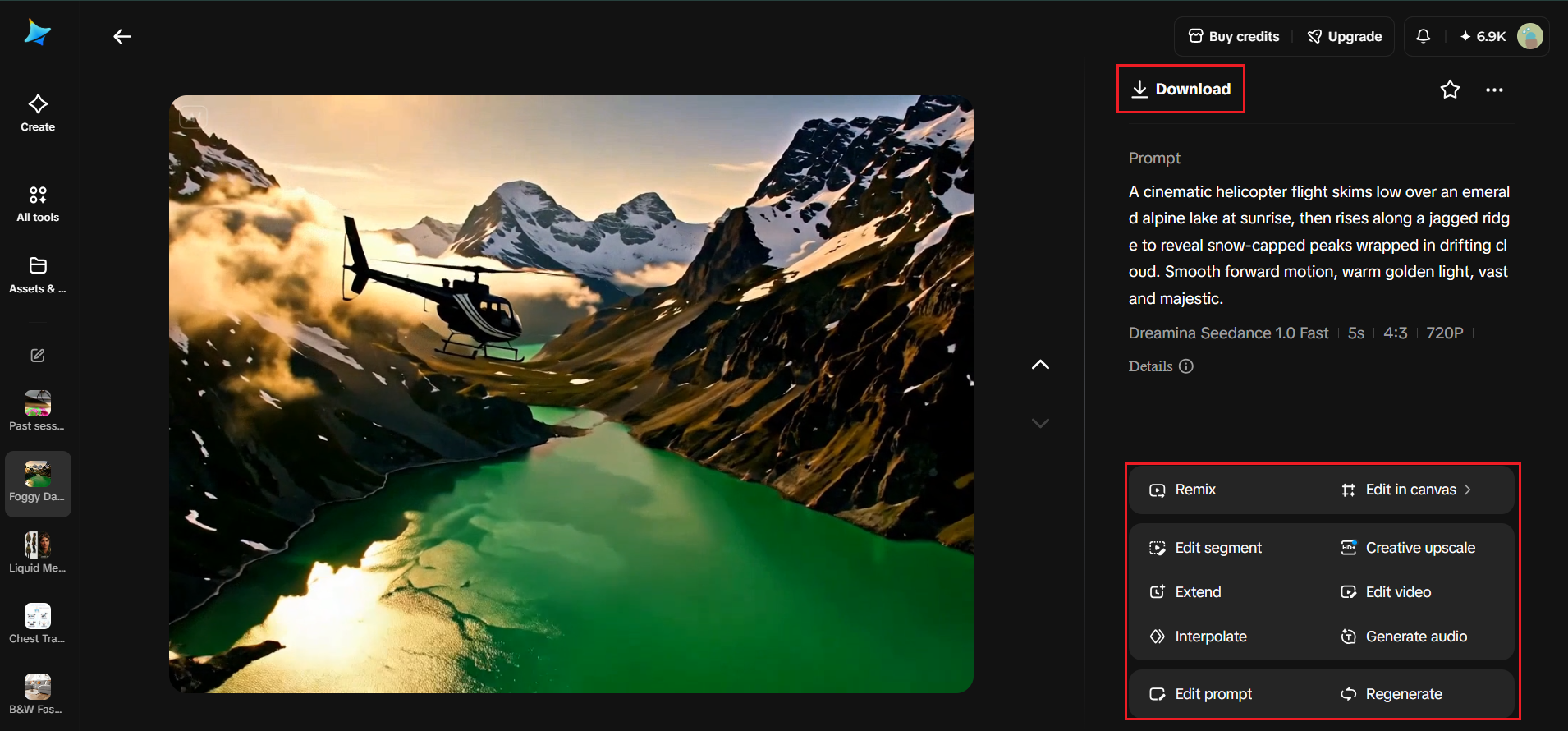
Refine your video by using Dreamina's advanced editing functions. Apply tools like Upscale to achieve a higher resolution for your video or Generate soundtrack to set audio for your clip. Eventually, save your video and share it on social media.
A prompt library for different tours
Adapt these starting points to your own landscapes:
- The fjord run: low flight between towering cliffs over still, dark water.
- The canyon dive: rising from a narrow gorge to a wide red plateau.
- The glacier sweep: high, slow glide above blue ice and snow ridges.
- The island circuit: circling a volcanic island with surf breaking on black sand.
- The storm chase: flying beside a distant storm lit by flashes of lightning over plains.
Sound design for an aerial journey
Audio gives a tour its sense of presence. A low rotor thrum, wind noise, and a swelling orchestral or ambient score can turn pretty footage into an experience. Use quiet moments as the helicopter hovers on a view, then raise the music for dramatic climbs. Dreamina's Generate soundtrack tool can add a fitting mood quickly. Keep the volume balanced so the music supports the visuals rather than competing with them.
Honesty and responsible presentation
Because AI-generated landscapes can look convincingly real, label your tour as AI-generated or concept footage when appropriate, especially for tourism or journalism contexts. Avoid presenting generated scenes as documentation of a particular place. If you are depicting a named destination, make sure the reference image and the claims you make are accurate. Clear labeling respects viewers and keeps your creative work credible.
Final thoughts
An aerial tour lets viewers soar through the world without leaving the couch. With Dreamina, a strong landscape reference, and Seedance 2.5's smooth cinematic motion, you can design a helicopter flight that rises, banks, and reveals scene after scene of natural grandeur. Plan the path, set the light, and let your audience take flight.
Enjoyed this story? Share it or follow on Google.